

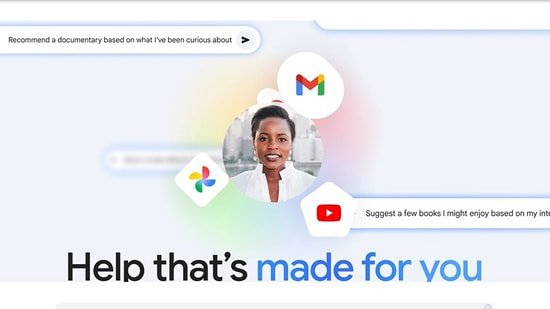
Planning a trip, digging through old emails or finding a photo you saved months ago makes these everyday tasks much easier. Google has launched Gemini’s personal intelligence in India, which now connects across apps like Gmail, Photos, YouTube and Search to provide more contextual answers.


What are the personal intellectual characteristics of Gemini?
Personal intelligence is designed to make Gemini act less like a chatbot and more like a real assistant. Now, instead of providing a generic response, it can pull information from your Google apps and combine it into a single answer.
For example, if you ask about an upcoming trip, a Gemini can:
- Check booking details via Gmail
- Extract saved screenshots or annotations from Google Photos
- Recommended places based on your YouTube activity
Google says the feature is designed to retrieve specific details and reasons across multiple sources. It can also show the source of the information so you can verify the answer or ask follow-up questions.
This feature is optional and is turned off by default. Google added that personal data is used to answer queries and is not directly used to train AI models, although limited interaction may help improve the system.
How to use personal wisdom with Geminis
To enable personal intelligence:
- Open the Gemini app
- Go to Settings > Profile
- Click on the connected app and select the content you want to link
Once enabled, it works on Android, iOS, and the web.
For better results, 5 settings you should change immediately
1. Open application connection (closed by default)
Personal intelligence only works if Gemini can access your data across applications. Without this, Gemini behaves like a regular chatbot and misses the whole point of the personalization feature.
2. Select apps selectively (don’t just enable all apps)
Connect only what you need:
- Gmail for bookings and emails
- Save photos of content
- YouTube recommendations
3. Check how Gemini uses your data
Ask follow-up questions, such as “Where did you get this information?” Check the sources cited in the response. This can help you verify accuracy and understand how the data is used.
4. Use casual chat when you want privacy
This feature allows you to switch to ad-hoc chat mode if you want to ask a general or sensitive question. This ensures that Gemini does not use your personal data or personalize responses.
5. Correct a Gemini when he does something wrong
Personal intelligence is still evolving, and it can misinterpret your data. Improve response quality:
- Use the “disagree” feedback option
- Be clear about your follow-up intentions
What’s happening with Google Gemini users in India?
With the right setup, Gemini can save time by pulling information from multiple applications into one place. However, it is still evolving and results may not always be accurate.
The feature is rolling out to Google AI Plus, Pro and Ultra users in India and is expected to gain wider access soon.