
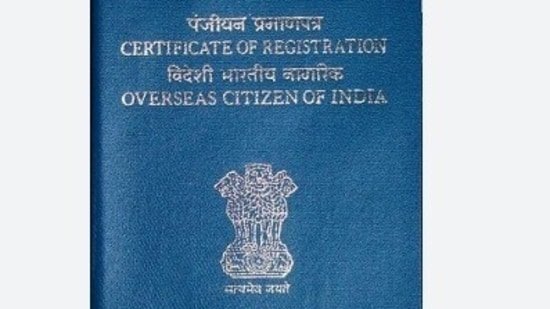
India announces introduction of electronic overseas Citizenship of India (e-OCI) card for citizens living abroad, and an upgraded online portal to manage foreign donations. Both initiatives aim to simplify compliance and enhance public services.

The Immigration Bureau announced the launch of the e-OCI card on
“No more carrying around a physical OCI booklet. You can now download a digital electronic OCI card on your phone and then migrant Check post and airlines. “
Also read: Indian students with US visas denied entry at Atlanta airport, sparking online privacy concerns
What is an e-OCI facility?
e-OCI is the digital representation of the current OCI card. Once created, it can be saved on your smartphone and displayed to migrant Officials and airline staff as needed during travel.
The government said that the digital card provides more convenience and is not a replacement for the physical OCI card.
The move is aimed at easing the burden of carrying OCI booklets and simplifying travel documents, especially for those who travel frequently.
Steps to download e-OCI card
OCI cardholders can download the e-OCI card by performing a simple process online through the official OCI service portal.
Here are the steps to do this:
1. Access the OCI Service Portal.
2. Log in using your existing user ID and password.
3. If you have not registered before, please create an account using the email associated with your OCI application.
4. Navigate to the e-OCI section on the dashboard.
5. Your OCI application details will automatically appear.
6. Click on the Generate e-OCI Card option.
Once generated, you can download the e-OCI card and store it on your mobile device.
This digital card can be presented as proof of OCI identification when needed during international travel.
Can digital cards be used when immigrating?
Yes. According to the government announcement, downloaded e-OCI cards can be accepted at immigration checkpoints and by airlines when necessary.
This allows eligible travelers to access their OCI documents directly from their mobile devices, eliminating the need to carry a physical booklet with them every time they travel.
However, travelers must ensure that the downloaded card is easily accessible on their device throughout their journey.
Also read: Indian student’s F-1 visa denied by UMD sparks discussion Here’s the problem: “Don’t leave your…”
Are physical OCI brochures valid?
Yes. The introduction of e-OCI will not affect the validity of existing physical OCI cards.
The government has clarified that the OCI entity manual will remain in effect. The digital version is launched simply to provide additional convenience to OCI cardholders.
Those who prefer to carry a physical brochure are welcome to do so.
Why does this matter to OCI cardholders?
The launch of e-OCI is expected to ease travel for overseas Indians who frequently visit India.
Some key advantages include:
There is no need to carry a physical OCI manual with you on every trip.
Access OCI documents faster from your mobile device.
Reduce the chance of forgetting or losing your physical card while moving.
Simplify document presentation at airports and immigration checkpoints.
For families with multiple OCI cardholders, especially seniors and children, keeping digital copies also makes it easier to manage travel documents.
Who is eligible to use e-OCI services?
This service is available to current OCI cardholders. Users must have access to the OCI Service Portal and credentials linked to their OCI application to create digital editions.
The launch of e-OCI marks another step forward in the government’s wide-ranging initiatives to digitize citizen services while improving the convenience of international travel documents. While physical OCI cards are still fully valid, the digital alternative offers OCI cardholders greater flexibility, allowing them to easily access their OCI files via their smartphones while traveling.